
My father grew up in Melville, Louisiana, a small town along the Atchafalaya River. I spent summer weeks there as a kid, across the street from the family store my grandmother's brothers ran. Uncle Joe and Uncle Pete taught me a lesson I still use with pediatric practices.
When the store ran a promotion, a bottle of Coke sold for a dollar and cost them 98 cents. That left two cents of margin. If one bottle broke, got stolen, or had a label nobody wanted, they had to sell 49 more to make up for it. That's before the labor to stock the shelves, the lights, and the credit card fees.
My uncles knew that number because they knew their business. A budget gives your practice that same awareness, and November is the time to build the one for 2027.
Why start now
A budget tells the story of what you think will happen next year. You won't know until later whether you wrote fiction or nonfiction. Writing it still forces you to think about the practice in a way the day-to-day doesn't. You see what a provider leaving in July does to the year, what more clinical staff in March costs, and when the flu vaccine invoices come due.
Starting in November gives you room to do it well. Pull the data this month, build the numbers, walk the owners through them in December, and have the budget loaded in QuickBooks before January. Then you spend 2027 comparing each month to a plan instead of guessing.
Start with three numbers
Every budget starts with revenue. For each provider, the estimate comes down to three numbers:
- Revenue per encounter. $500,000 in revenue over 4,000 visits is $125 a visit.
- Encounters per day. 4,000 visits over 200 days worked is 20 a day.
- Days worked per year. Four days a week for 49 weeks, or pull out a calendar and count.
Run a full 12 months, because revenue per encounter moves with the seasons. In 2019 data my buddy Chip Hart shared, covering 598 private practice pediatricians, it rose about 15.6% from the first quarter to August. Then it dropped 17% by October, when flu clinics filled the schedule with visits that pay much less. Budget month by month so your plan reflects that swing.
Build it in five steps
The spreadsheet I use with practices every year has five tabs:
- Estimate revenue. Visits times revenue per encounter, by provider and by month. Add nurse and flu visits, incentive payments, and capitation.
- Estimate operating costs. Staff, rent, supplies, vaccines, and the rest of your profit and loss statement.
- Estimate provider costs. Salary, benefits, and bonuses for employed physicians, NPs and PAs, and owners.
- Plan capital expenses. The exam tables and computers you already know you need.
- Review. The last tab pulls the others together and shows your cash position month by month.
The tabs are linked, so you can test a decision before you make it. Put $100,000 of IT equipment in May and watch the bottom line change. The sample practice in the tool ends the year about $57,000 ahead, yet five of its twelve months run negative. You want to know which months before you live them.
Two places practices get stuck
Vaccines. Labor and vaccines are your two largest expenses, and vaccines are the harder one to time. The flu vaccine shows up in September. You pay the invoice in November, maybe on a credit card, and the cash leaves the month after. Most practices keep their books on a cash basis, so the expense lands months after the shots were given. Budget the month the money leaves.
Too much detail. I use an unofficial accounting term, PDC. It stands for pretty darn close. At some point, more hours on the budget only move the needle so much further. Get close enough to guide your decisions and stop.
Keep the cheat sheet on your desk
I put the whole approach on a two-page cheat sheet: the chart of accounts groupings, cash versus accrual, the three numbers, the five steps, and how to load the finished budget into QuickBooks. Click the image to download it.
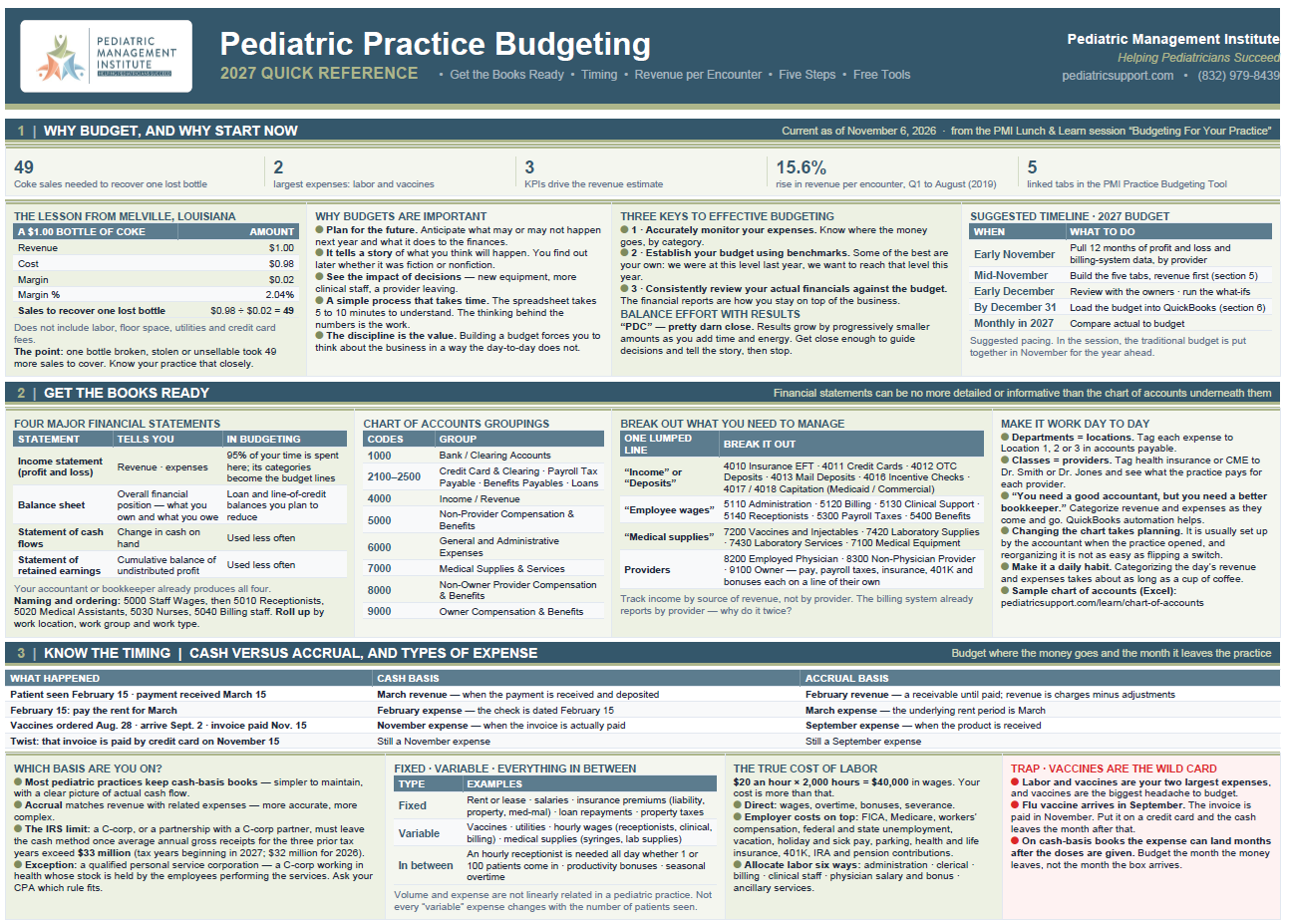
Budgeting is not hard. There's just a lot to keep in mind. Pull your twelve months of data this week, and if you get stuck, reach out. I'm always glad to help.
Get the complimentary budgeting tools
The Practice Budgeting Tool (the Excel spreadsheet with the five linked tabs), the slide deck and recording from my Lunch & Learn session, and a sample chart of accounts are all complimentary in the PMI Learning Center. Download the pediatric practice budgeting resources.
This article is general guidance for pediatric practice owners and managers. It is not accounting or tax advice. Talk with your CPA about your practice's books.